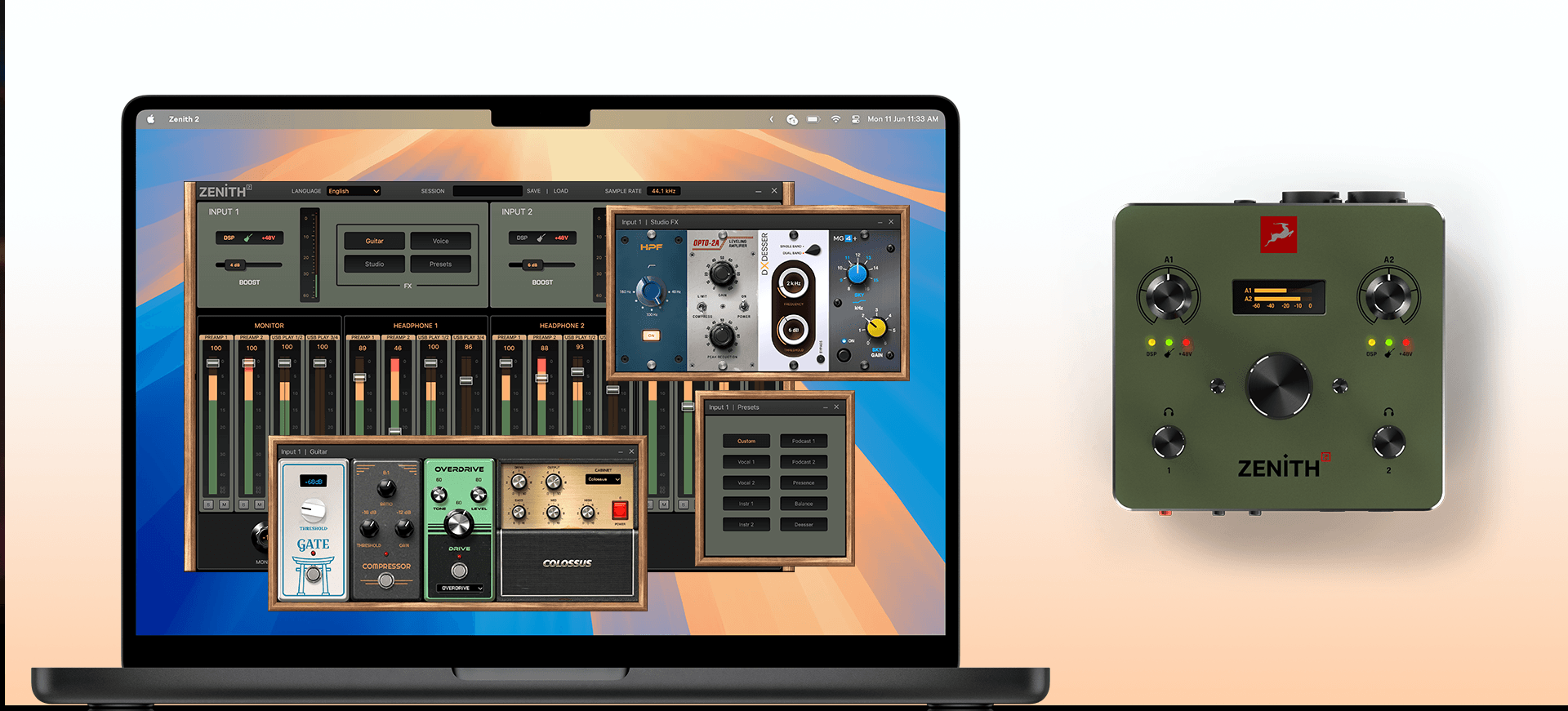
The Zenith 2 Software Control Panel is here — control your mixers, DSP effects, and presets faster and more precisely than ever, directly from your computer.
Zenith 2 has been more than an audio interface since its very beginning. It’s the central hub of your studio — and now, controlling it just got significantly faster.
The Zenith 2 Software Control Panel is available today, giving you direct, precise access to every key function of your device from your computer. Mixer adjustments, DSP effects, presets, output volume. Everything remains available directly on the device, so you can work your way – standalone or from your desk.
Why a Software Control Panel?
The Zenith 2 hardware display menu has always been capable. But capable isn’t the same as fast. The software control panel removes the browsing sub-menu friction entirely, putting everything on one screen — immediately visible, immediately adjustable.
As Zenith 2 continues to evolve into the center of your studio workflow, the control panel is the natural next step. In short, the panel provides:
- Faster workflow: Нavigate effortlessly through all settings.
- Everything at a glance: No hidden menus, all on one page.
- Preset saving & recall: Save and recall DSP and mixer settings, so you can switch between session configurations instantly.
- Higher precision: Channel faders adjustable per 1 step (0-100)
- Optional use: All functionalities remain available from the hardware.
- Easy installation: A simple bundle update via the Antelope Launcher
- Available for all: The panel is available for all existing and future Zenith 2 owners.
- Multilanguage: 11 available languages for broad accessibility
This intricate behavior, with its interplay between attack and release, mirrors the quirks and subtleties that engineers loved in the original hardware.
What You Can Control
Mixers
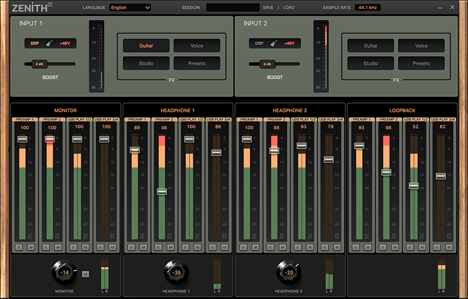
The four Zenith 2 mixers — Monitor, Headphone 1, Headphone 2, and Loopback — are laid out side by side with full fader control and real-time level meters for every channel.
DSP Effects
This is where the control panel makes the biggest difference. Each FX mode has been designed with its own purpose-built interface:
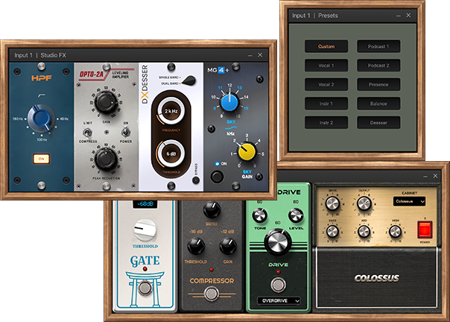
- Guitar Mode presents a virtual pedalboard with dedicated knobs and value indicators for every effect — Gate, Compressor, Overdrive, Cabinet — all visible on a single screen at once.
- Voice Mode features a sleek, futuristic layout with Voice Presets and 3 functional faders – Intensity, Shape and Noise Reduction adjustable in increments of 10, matching the precision of the hardware menu while being far more immediate to use.
- Studio Mode displays 4 effects in a virtual rack layout — the kind of clear, detailed view that makes precise parameter control feel natural.
- Preset Mode gives you a grid of pre-defined configurations, ready to load instantly with a single click.
Preset Manager
Save, organize, and recall sessions without rebuilding anything from scratch. The built-in Preset Manager makes switching between different workflows or configurations a matter of seconds.
How to Get It
The Zenith 2 Control Panel is available for free for all current and future Zenith 2 users through the Antelope Launcher as a new bundle update. Connect your Zenith 2, open the Launcher, go to Manage Devices, select the latest bundle, and install the update.
The Zenith 2 Software Control Panel is available now as a free software update for all current and future Zenith 2 users!